
Help us become the #1 Data Podcast by leaving a rating & review! We are 67 reviews away!
I made a tool that turns your GitHub projects into a real portfolio. Here's what it looks like in action.
BUILD YOUR OWN PORTFOLIO: https://dcj.app/mydatafolio-0QqsQr
💌 Join 30k+ aspiring data analysts & get my tips in your inbox weekly 👉 https://datacareerjumpstart.com/newsletter
🆘 Feeling stuck in your data journey? Come to my next free "How to Land Your First Data Job" training 👉 https://datacareerjumpstart.com/training
👩💻 Want to land a data job in less than 90 days? 👉 https://datacareerjumpstart.com/daa
👔 Ace The Interview with Confidence 👉 https://datacareerjumpstart.com/interviewsimulator
⌚ TIMESTAMPS
00:20 – Meet My Data Folio
01:50 – First project
05:35 – Second project
07:58 – Finished portfolio
08:20 – Time to build yours
🔗 CONNECT WITH GRAHAM
🤝 LinkedIn: https://linkedin.com/in/graham-smith-2656931a6/
🔗 CONNECT WITH AVERY
🎵 TikTok
💻 Website
Mentioned in this episode:
📰 Join 18k Other Analysts in My Newsletter
Get 1 weekly newsletter helping you take the next steps in your data career! Check it out: https://datacareerjumpstart.com/subscribe
Build Your Data Portfolio
We will build your data portfolio site for you for $1. All you need to do is go to MyDataFolio.com/build and enter your LinkedIn URL. Wait 30 seconds. And BOOM! You have a portfolio! Try it.
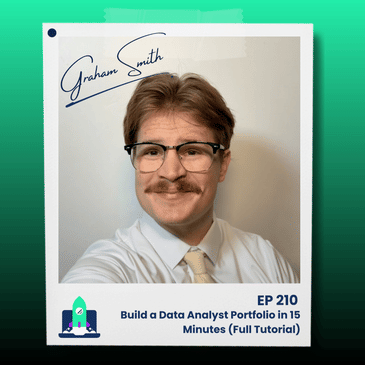
This is my brother Graham. Hi. And Graham wants to land his first data job. Yep. But he doesn't have a portfolio that's gonna convince a hiring manager to take a chance on him. So we're gonna build him a portfolio from scratch today to having a full working portfolio in less than 20 minutes. Sound good? Sounds great. Let's get into it. Okay, the tool we're going to be using today to build a portfolio from scratch is called MyDatafolio, and it's a new tool that lets you build a really beautiful portfolio website pretty dang quickly. And actually, full disclosure, it's actually made by me. And it's what I would like to have in a data portfolio. So link in the description down below to try it out. All right. So the first thing that we're going to do is set up Graham's profile on My Datafolio. Just give a name, a portfolio URL. We'll just do a headline of data analyst. And for a bio, what should your bio be? Something like that. Looks great. Data analyst with a BS in statistics, located Provo, Utah. We'll also add a quick profile picture, which I will just steal from Graham's LinkedIn even though it's not the best photo of all time. There we go. What skills do you have, Graham? Python, R, Excel, Pandas, Power BI. All right. There it is. Power BI. We can add some other ones, like Claude is another one that you have used. Anything else? ChatGPT? ChatGPT. Okay. Awesome. Uh, we'll go ahead and link to your, uh, GitHub profile as well and your LinkedIn so that way people can contact you. And, uh, we'll go ahead and upload your resume. And then what color scheme do you like? Let's go with the nice forest green right there. Nice forest green. We'll leave your contact section blank for right now. And do you need to do any password protection for any of your projects? I don't think so. Do you have a custom domain you'd like to use? Not at this moment in time. Okay, let's go ahead and hit Save Profile. Okay. And just like that, you have a portfolio already made for you. Boom. Whoa, that's pretty cool. Yeah. But, uh, you'll notice this portfolio is missing something pretty important. Any work, anything. Any projects, right? Yeah. So let's go ahead and, uh, add some projects. So when you're adding a project, there's three different ways that we can do it. The write manually, which is the way I used to do all of my projects, um, but we also have two other AI features, which is an AI import and AI-guided form. We're gonna focus today, just 'cause we're in a time crunch, trying to do this as quickly as possible, with the AI import, which basically allows you to import any sort of GitHub repos, Tableau public links, any files like Excel files or Python files or R files you've done, and write the first draft of your project for you. GitHub repos are something we can try? Oh, we got a couple that we can try. Okay. So let's go ahead and try the AI import. All right. This is Graham's GitHub, uh, repositories. It's definitely a little bit messy. Definitely maybe needs some love, but, um, let's take a look. Which one of these repos do you feel like could be your first project? Which one would be good? Let's start with the non-parametic log linear medical costs. Okay. You want to start here? Yeah. Okay. Awesome. And what is... What exactly is this repo, I guess? It's a school project that delves into different, like, information, data to quantify, uh, like how smoking and different factors affect medical costs on an annual basis. Is this like a homework assignment? Yes. So like anyone who has done any sort of homework assignment, this is basically just a homework assignment. Yes. And it looks like it's in Python? Yeah Okay, interesting. I don't know much about this, so we're just gonna try it. So all you have to do is grab, uh, the repo link right here, go back to our AI import, go ahead and give the URL. Is there any other details that we should give it or any other instructions? I don't know. All right. Let's just go ahead and hit generate project article. This will take a few seconds to read through everything inside of this GitHub repo and actually do the write-up. All right, so it just finished doing your project write-up here and made the title Nonparametric and Log-Linear Medical Cost Analysis. That's an interesting name. Okay, we're just gonna keep it as it is. It gave you this URL slug. It gave you this summary, "A case study that combines nonparametric techniques and log-linear modeling to predict and interpret highly skewed medical cost data, improving forecasting robustness and interpretability." Sounds pretty professional. That sounds very professional. And then here's an overview, the problem, the approach, data and methodology, key findings, results and impact, conclusion, all written for you. Nice. Let's look at the, uh, results and impact. It says more re- do you remember anything about this project? Yeah. Take a look. Can you read these results and impact and see if it makes sense or not? Yeah. Do you want me to read them? Yeah, read out loud. Okay. "More reliable budgeting, improved forecasting accuracy on accurate expenditures helps f- Finance teams set reserve level with greater confi- confidence Do you remember that at all? Uh, yes. There was like a, they had like standard questions with like the data set for the, like the presentation project, and we, there was like findings that there was like very significant correlation between like different factors and their predicted- Okay cost difference. So it's, it's not necessarily wrong. No. Okay. What about the... Let's do this one, I guess, right here. The log linear coefficients in the two-part decomposition allowed me to i- identify which variables most strongly influence utilization versus conditional costs, guiding targeted inter- interventions. That's also true because they're, uh, like filtered out different factors and variables, and I think smoking was by far the, like most influential factor. Okay. So it gets some of the results right. Um, I guess it also said that the log c- of the cost was a more stable coefficient and linear relationship, so the log was the right way to do this modeling. Okay, so this doesn't feel 100% wrong to you. No. Okay, cool. And it's telling you kind of an overview of the project, uh, what the problem is, which is predicting the medical cost of something for like budgeting reasons, and then it gives you, you know, kind of how you did the data exploration, you did the transformations, then you did the modeling, and then basically evaluate how everything went. Okay, very cool. So, uh, we can hit save project right here on this project, and now if you go back to your portfolio and you hit refresh, boom. Whoa. You got a project right here, right there. That's easy. All ready for you to- It's real easy. That's what I like to hear. Okay, awesome. Let's do a- another one. What is another, uh, project or another repo that we should do? Let's do the NBA heat map. All right, let's do NBA heat map right here. I'm just gonna copy and paste up here. Go back to add project, AI import, paste this right here. Any other instructions? No, I think my .md files are pretty good. Okay. Generate project article, and, uh, we'll see what it does. All right, it just finished. NBA shot heat map explorer. Let's see. So I built an NBA shot heat map explorer to turn raw NBA shot and play-by-play data into actionable, visible, intuitive insights. Is that what this project's all about? That's exactly what it's about. Okay, let's see. So then it goes through problem, the approach, data and method- methodology. So you're getting the data from the NBA API. Correct. Okay. And then doing some filtering, some spatial, uh, aggregation with the hex bin stuff going on. Yep. Okay, awesome. Then you're doing some kernel density estimators. Okay, great. Key findings, distinct ro- role profiles are clearly displayed, hidden inefficiencies surface quickly, strategic match up. Um, so you can do team level heat maps to show. Okay, very cool. Visual artifact. Very nice. So, um, obviously we're just pulling straight from the GitHub, right? So it just has whatever you have- in here, which I'm guessing it doesn't have, like, any saved images, right? Not in that folder particularly, no. Okay. See, well, that's something you could have told me earlier when I said, "Do you wanna add anything else?" Well, okay, now you know. We can, we can actually, like, go in and add those images as well. Um, so that would help you. So let's go ahead and hit Save Project. Let's go back to our portfolio, and let's hit refresh on the full portfolio, and boom, you got two projects. Now, I did see that on your LinkedIn the other day you had posted about this project, right? Yes. So let's see. Here's your LinkedIn page, and here's the image I saw that you posted. Mm-hmm. I'm gonna actually right click on this image, and I'm gonna go back to our project. I'm gonna go to the Heatmap Explorer here. I'm gonna upload that image as a cover image right here and, uh, see how it looks. Whoa. Let's go back, refresh. Oh, that looks way better. Boom. You open it up, it actually includes that image at the top now. So I like that. Do we have any other images on your LinkedIn of this? No. Boom. Not yet. Not yet. Okay, sweet. This is a Project and Portfolio. It shows what different libraries you used in Python and obviously Python here. At the top it w- will allow people to view your code, and you have your full write-up down here. Um, it allows people to see other projects, so here's your other project once again. Um, here's the different libraries you used here. Um, and then you can always have your users go back to your portfolio. You can send this to people. You can try dark mode or light mode. It has your GitHub, your LinkedIn, your resume, your little summary, your different skills up here at the top, your projects, and then a call to action down here at the bottom to work together. That's awesome. Thank you so much. That's gonna be very helpful for me, I think. Okay. The other thing I wanted to show you is it actually, we have these KPIs here for the pro plan of MyDatafolio, which actually shows you how many page views you have and how many visitors. So I'm the only person who's visited, so it's the one. So far. But, like, basically it'll let you see that this has four views, this has one view, so on and so forth. Um, that... This is kind of exciting- Ooh 'cause when someone actually looks at it, you'll, you'll know. Yeah, you can actually see if, like, a recruiter or a hiring person is actually looking at it. Exactly. So you can always edit the projects, share a n- unique project, and share your portfolio from right here. That's awesome. I'm excited to actually use this and get in there and edit a few things around. All right. There you have it, folks. I don't know how many minutes that took, but hopefully less than 20. And Graham went from having no portfolio, just, like, some loose homework projects or some projects that he's done in GitHub. You can even just upload a file, for instance, in up- add projects. You can actually just upload, like, your Python file or your Excel file and it will try to do its best. Obviously, the more information you give it, the better it'll do. But hopefully that gets you guys excited to go try out MyDatafolio.com and try it out for themselves. Yeah, I'm excited to go and actually try and apply to a few more jobs with this. All right. Link in the description. Trust it out. Let me know what you guys think.